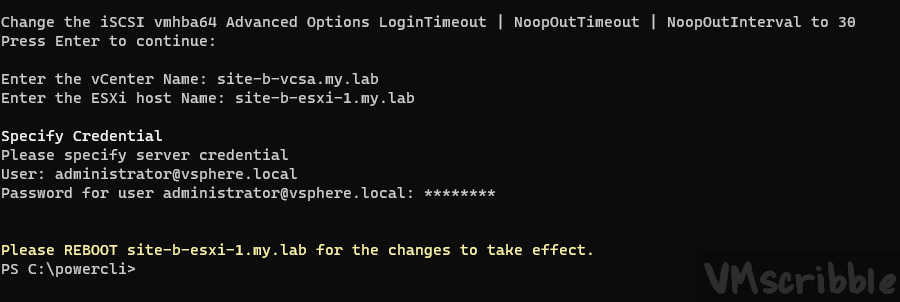
# found https://vmscribble.com/

Write-Host ""
Write-Host "Change the iSCSI vmhba64 Advanced Options LoginTimeout | NoopOutTimeout | NoopOutInterval to 30"
Read-Host "Press Enter to continue"

# Set Variables
$vCenter = Read-Host "Enter the vCenter Name"
$esxihost = Read-Host "Enter the ESXi host Name"
$iScsiHbaDevice = 'vmhba64'

# Connect to the vCenter
Connect-VIServer $vCenter | out-null

# Get-View for the host
$HostView = Get-VMHost $esxihost | Get-View
$HostStorageSystemID = $HostView.configmanager.StorageSystem

# NoopTimeout
$NoopTimeout = New-Object VMware.Vim.HostInternetScsiHbaParamValue[] (1)
$NoopTimeout[0] = New-Object VMware.Vim.HostInternetScsiHbaParamValue
$NoopTimeout[0].Value = 30
$NoopTimeout[0].Key = 'NoopTimeout'
$_this = Get-View -Id $HostStorageSystemID
$_this.UpdateInternetScsiAdvancedOptions($iScsiHbaDevice, $null, $NoopTimeout)

# LoginTimeout
$LoginTimeout = New-Object VMware.Vim.HostInternetScsiHbaParamValue[] (1)
$LoginTimeout[0] = New-Object VMware.Vim.HostInternetScsiHbaParamValue
$LoginTimeout[0].Value = 30
$LoginTimeout[0].Key = 'LoginTimeout'
$_this = Get-View -Id $HostStorageSystemID
$_this.UpdateInternetScsiAdvancedOptions($iScsiHbaDevice, $null, $LoginTimeout)

# NoopInterval
$NoopInterval = New-Object VMware.Vim.HostInternetScsiHbaParamValue[] (1)
$NoopInterval[0] = New-Object VMware.Vim.HostInternetScsiHbaParamValue
$NoopInterval[0].Value = 30
$NoopInterval[0].Key = 'NoopInterval'
$_this = Get-View -Id $HostStorageSystemID
$_this.UpdateInternetScsiAdvancedOptions($iScsiHbaDevice, $null, $NoopInterval)

Write-Host ""
Write-Host "Please REBOOT $esxihost for the changes to take effect." -foregroundcolor Yellow

# Disconnect from the vCenter
Disconnect-VIServer $vCenter -Confirm:$false