
- 2024 – Single ESXi 7 or 8 host PowerCLI script https://vmscribble.com/powercli/powercli-hpe-esxi-iscsi-advanced-options/
- Per https://infosight.hpe.com/InfoSight/media/cms/active/public/pubs_VMware_Integration_Guide_NOS_50x.whz/cwz1530912931494.html you should change the Host Disk Timeout Values to 30 seconds as HPE Nimble iSCSI best practice on the ESXi host.
- Defaults for a fresh ESXi 6.5 install are not 30 for: LoginTimeout 5 / NoopOutInterval 15 / NoopOutTimeout 10
- Granted the HPE Nimble Storage Connection Manager for VMware (NCM) “should” set them to 30 if the version is 6 or higher, but in my testing it did not (see screen cap below for ESXi 6.7 and nimble-ncs nimble-psp 7.0.0-650012)
PowerCLI Script – HPE Nimble iSCSI LoginTimeout NoopOutTimeout NoopOutInterval
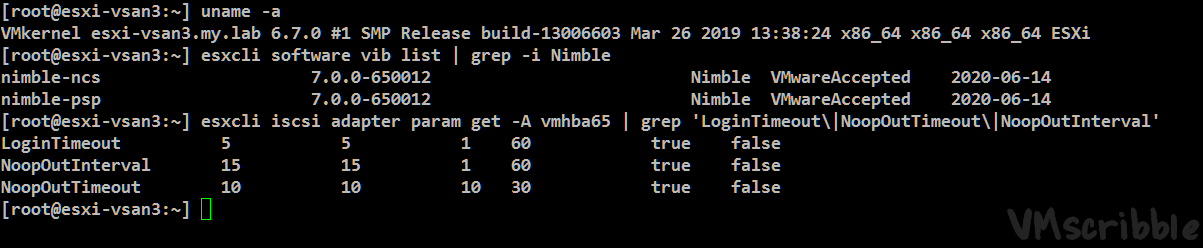
The PowerCLI script will filter for Connected ESXi hosts in a specific Cluster and use get-esxcli v1 to change the LoginTimeout NoopTimeout NoopInterval values to 30 seconds and get-esxcli v2 to validate.
You will need to reboot the ESXi hosts for the new values to take effect (2 birds, 1 stone during the next VUM patching window).
Tip – You can remove the “# Change” section of the script (lines 22-41) to Report only.
Thanks https://encoretechnologies.github.io/blog/2020/03/vmware-iscsi-timeout/ for pointing me in the right direction.

Manual way: (note – a reboot is still needed even though the new value is 30)
You can change these by hand in the web client. Storage / Storage Adapters / Advanced Options – search via chrome for LoginTimeout / NoopInterval / NoopTimeout
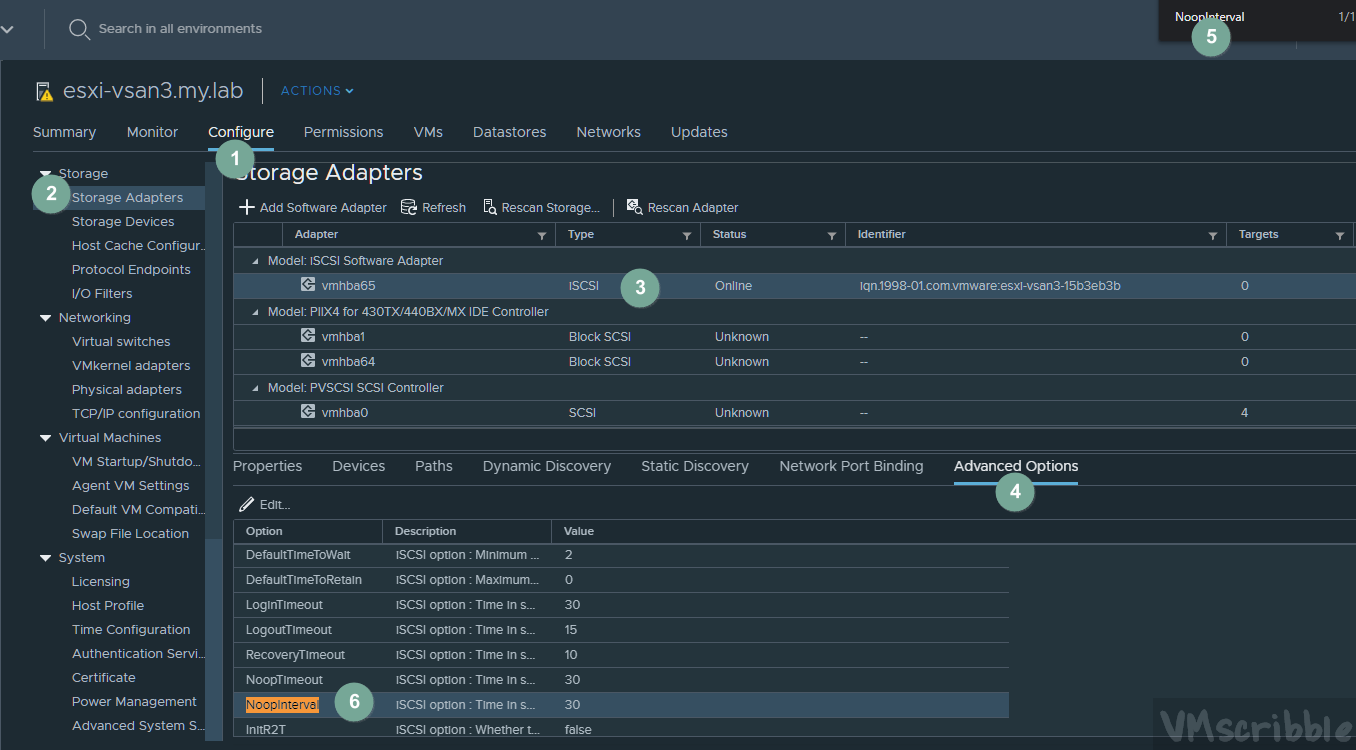
Validate via a putty session to the ESXi host. (change vmhba65 to your correct #) 1st # is the current.
esxcli iscsi adapter param get -A vmhba65 | grep 'LoginTimeout\|NoopOutTimeout\|NoopOutInterval'
#  found https://vmscribble.com/
#  ref https://infosight.hpe.com/InfoSight/media/cms/active/public/pubs_VMware_Integration_Guide_NOS_50x.whz/cwz1530912931494.html

Write-Host ""
Write-Host "This script will change the iSCSI LoginTimeout NoopOutTimeout NoopOutInterval values to 30 seconds on ALL connected ESXi hosts in the cluster." -foregroundcolor White
Write-Host "Please REBOOT each host for the changes to take effect." -foregroundcolor Yellow
Read-Host "Press Enter to continue"

# Set Variables
$vCenter = Read-Host "Enter the vCenter Name"
$ClusterName = Read-Host "Enter the Cluster Name"
$thirty = "30"

Write-Host ""

# Connect to your vCenter
Connect-VIServer $vCenter | out-null

# list all connected ESXi hosts
$AllHosts = Get-Cluster $ClusterName | Get-VMhost | where {($_.ConnectionState -eq "Connected")} | sort-object Name

# Change
foreach($esxihost in $AllHosts){
    $iscsi_hbas = $esxihost | get-vmhosthba -type iscsi

	if($iscsi_hbas -eq $null){
	write-host "$esxihost does not have an iSCSI adapter"
    }
    else{
	foreach($hba in $iscsi_hbas){
	    $esxcli = get-esxcli -vmhost $esxihost
	    $esxcli.iscsi.adapter.param.set($hba.device,$false,'LoginTimeout',$thirty) | out-null
	    write-host "$esxihost $hba - Setting LoginTimeout to 30" -foregroundcolor White
	    $esxcli.iscsi.adapter.param.set($hba.device,$false,'NoopOutTimeout',$thirty) | out-null
	    write-host "$esxihost $hba - Setting NoopOutTimeout to 30" -foregroundcolor White
	    $esxcli.iscsi.adapter.param.set($hba.device,$false,'NoopOutInterval',$thirty) | out-null
	    write-host "$esxihost $hba - Setting NoopOutInterval to 30" -foregroundcolor White

	}
    }
}

# Validation
Write-Host ""
Write-Host "Validating ESXi hosts:"
foreach($esxihost in $AllHosts){
    $iscsi_hbas = $esxihost | get-vmhosthba -type iscsi
	if($iscsi_hbas -eq $null){ write-host "$esxihost does not have an iSCSI adapter"}
    else{
	foreach($hba in $iscsi_hbas){
	    $esxcli = get-esxcli -vmhost $esxihost -V2
		$esxcli.iscsi.adapter.param.get.Invoke(@{adapter = "$hba"}) | select Name, Current | where Name -match "LoginTimeout"
		$esxcli.iscsi.adapter.param.get.Invoke(@{adapter = "$hba"}) | select Name, Current | where Name -match "NoopOutTimeout"
		$esxcli.iscsi.adapter.param.get.Invoke(@{adapter = "$hba"}) | select Name, Current | where Name -match "NoopOutInterval"
		Write-Host "$esxihost"
		Write-Host ""
	}
    }
}

# Disconnect from the vCenter
Disconnect-VIServer $vCenter -Confirm:$false- Setup
-
- 2024 – Single ESXi 7 or 8 host PowerCLI script https://vmscribble.com/powercli/powercli-hpe-esxi-iscsi-advanced-options/
- Per https://infosight.hpe.com/InfoSight/media/cms/active/public/pubs_VMware_Integration_Guide_NOS_50x.whz/cwz1530912931494.html you should change the Host Disk Timeout Values to 30 seconds as HPE Nimble iSCSI best practice on the ESXi host.
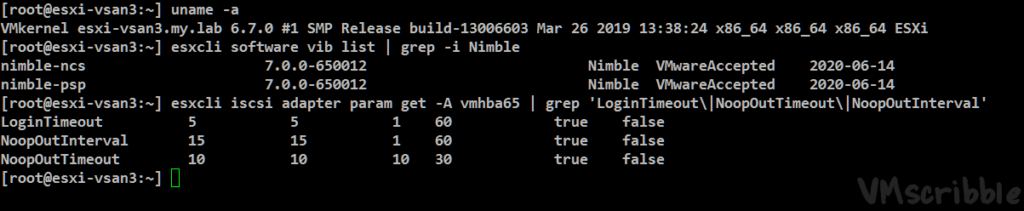
- Defaults for a fresh ESXi 6.5 install are not 30 for: LoginTimeout 5 / NoopOutInterval 15 / NoopOutTimeout 10
- Granted the HPE Nimble Storage Connection Manager for VMware (NCM) “should” set them to 30 if the version is 6 or higher, but in my testing it did not (see screen cap below for ESXi 6.7 and nimble-ncs nimble-psp 7.0.0-650012)
- Scoop
-
The PowerCLI script will filter for Connected ESXi hosts in a specific Cluster and use get-esxcli v1 to change the LoginTimeout NoopTimeout NoopInterval values to 30 seconds and get-esxcli v2 to validate.
You will need to reboot the ESXi hosts for the new values to take effect (2 birds, 1 stone during the next VUM patching window).
Tip – You can remove the “# Change” section of the script (lines 22-41) to Report only.Thanks https://encoretechnologies.github.io/blog/2020/03/vmware-iscsi-timeout/ for pointing me in the right direction.

Manual way: (note – a reboot is still needed even though the new value is 30)
You can change these by hand in the web client. Storage / Storage Adapters / Advanced Options – search via chrome for LoginTimeout / NoopInterval / NoopTimeout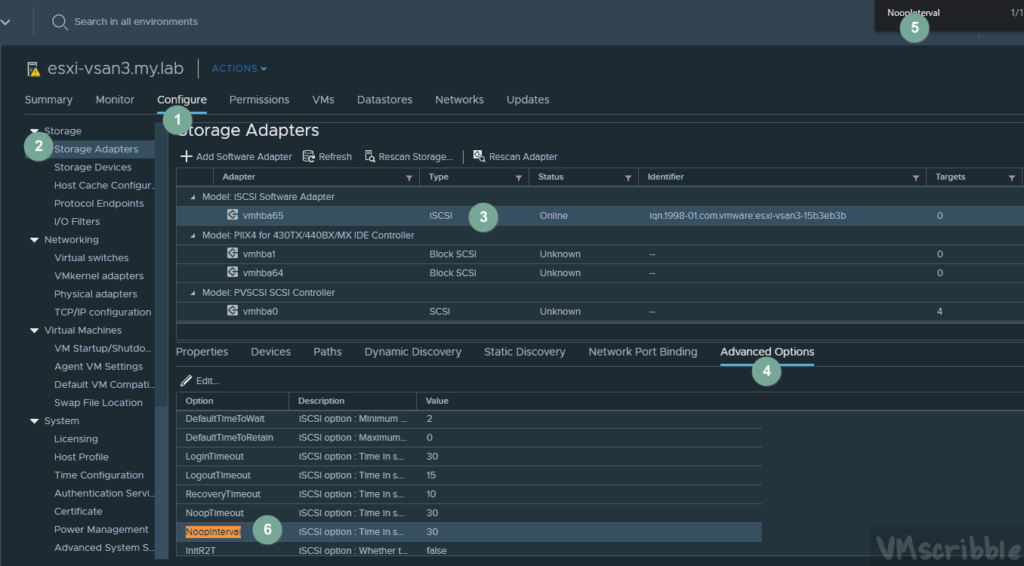
Validate via a putty session to the ESXi host. (change vmhba65 to your correct #) 1st # is the current.
esxcli iscsi adapter param get -A vmhba65 | grep 'LoginTimeout\|NoopOutTimeout\|NoopOutInterval'
- Script
-
#  found https://vmscribble.com/
#  ref https://infosight.hpe.com/InfoSight/media/cms/active/public/pubs_VMware_Integration_Guide_NOS_50x.whz/cwz1530912931494.html

Write-Host ""
Write-Host "This script will change the iSCSI LoginTimeout NoopOutTimeout NoopOutInterval values to 30 seconds on ALL connected ESXi hosts in the cluster." -foregroundcolor White
Write-Host "Please REBOOT each host for the changes to take effect." -foregroundcolor Yellow
Read-Host "Press Enter to continue"

# Set Variables
$vCenter = Read-Host "Enter the vCenter Name"
$ClusterName = Read-Host "Enter the Cluster Name"
$thirty = "30"

Write-Host ""

# Connect to your vCenter
Connect-VIServer $vCenter | out-null

# list all connected ESXi hosts
$AllHosts = Get-Cluster $ClusterName | Get-VMhost | where {($_.ConnectionState -eq "Connected")} | sort-object Name

# Change
foreach($esxihost in $AllHosts){
    $iscsi_hbas = $esxihost | get-vmhosthba -type iscsi

	if($iscsi_hbas -eq $null){
	write-host "$esxihost does not have an iSCSI adapter"
    }
    else{
	foreach($hba in $iscsi_hbas){
	    $esxcli = get-esxcli -vmhost $esxihost
	    $esxcli.iscsi.adapter.param.set($hba.device,$false,'LoginTimeout',$thirty) | out-null
	    write-host "$esxihost $hba - Setting LoginTimeout to 30" -foregroundcolor White
	    $esxcli.iscsi.adapter.param.set($hba.device,$false,'NoopOutTimeout',$thirty) | out-null
	    write-host "$esxihost $hba - Setting NoopOutTimeout to 30" -foregroundcolor White
	    $esxcli.iscsi.adapter.param.set($hba.device,$false,'NoopOutInterval',$thirty) | out-null
	    write-host "$esxihost $hba - Setting NoopOutInterval to 30" -foregroundcolor White

	}
    }
}

# Validation
Write-Host ""
Write-Host "Validating ESXi hosts:"
foreach($esxihost in $AllHosts){
    $iscsi_hbas = $esxihost | get-vmhosthba -type iscsi
	if($iscsi_hbas -eq $null){ write-host "$esxihost does not have an iSCSI adapter"}
    else{
	foreach($hba in $iscsi_hbas){
	    $esxcli = get-esxcli -vmhost $esxihost -V2
		$esxcli.iscsi.adapter.param.get.Invoke(@{adapter = "$hba"}) | select Name, Current | where Name -match "LoginTimeout"
		$esxcli.iscsi.adapter.param.get.Invoke(@{adapter = "$hba"}) | select Name, Current | where Name -match "NoopOutTimeout"
		$esxcli.iscsi.adapter.param.get.Invoke(@{adapter = "$hba"}) | select Name, Current | where Name -match "NoopOutInterval"
		Write-Host "$esxihost"
		Write-Host ""
	}
    }
}

# Disconnect from the vCenter
Disconnect-VIServer $vCenter -Confirm:$false