VMware VMs to Proxmox via Veeam – Multiple SCSI Controllers

ESXi

Veeam can be used as a migration tool from a VMware VM to Proxmox.  The following advantages are:

  • Veeam will only transfer (can covert to RAW or QCOW2) over the network the bits used inside the OS.
  • Can perform the work as a dry run by restoring from a powered on VM backup and leaving the NIC disconnected in Proxmox (or in this post, not migrate the NIC during the restore)
  • Rollback is to power on the VM in vCenter as the source VM is not being modified.
  • Proxmox limitation – can not support multiple SCSI controllers on a VM.
  • Goal – What is the outcome of 2 Windows 2025 VMs with LSI Logic SAS and Paravirtual SCSI controllers?

Software Setup

  • vCenter and ESXi 8.0.3
  • Microsoft Windows Server 2025 (10.0.26100)
  • VM Hardware Version 21
  • VMware Tools 13.0.5 Build 24915695 13317
  • Proxmox 9.1.4
  • Veeam appliance 13.0.180
  • VM1 – OS is on LSI Logic SAS, 2nd disk on a Paravirtual.  VM2 OS is on a Paravirtual, 2nd disk is on a 2nd Paravirtual controller.
  • Out of scope of this post – powershell to uninstall VMware Tools (since VMware Tools thinks it is not a VM), using VirtIO drivers, editing static NIC setting in the OS.
  1. Shut down the VM on the ESXi side.
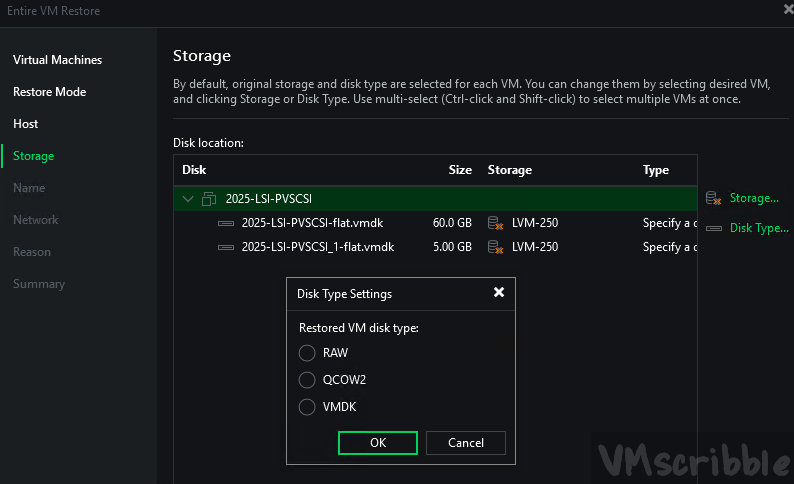
  2. Backup and Restore the VM on ESXi to Proxmox 9.1.4. Must use the Veeam Backup & Replication Console and not the website for the new Appliace in 13.0.180. The new website can not “see” Proxmox.
  3. Choose the Promxox storage. I am using RAW since QCOW2 is not compatibel with a local LVM thin disk.
  4. Pick the NIC’s new vNet “port group” in proxmox. I did not since this is for a test.
  5. Do NOT power on as the VM will need to be edited in Proxmox before the power on.

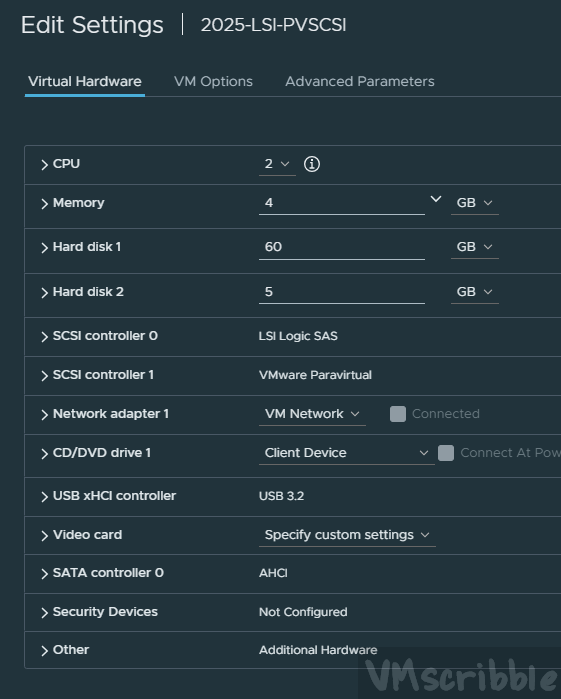
VM – 2025-LSI-PVSCSI

  • OS Drive – 60GB thin – SCSI controller 1 – LSI Logic SAS
  • 2nd Drive – 5GB thin – SCSI controller 2 – Paravirtual

Once the VM is restored in Proxmox

  • Set the CPU Type to “host” since I am not using “EVC Mode”
  • Add a SATA CD/DVD Drive
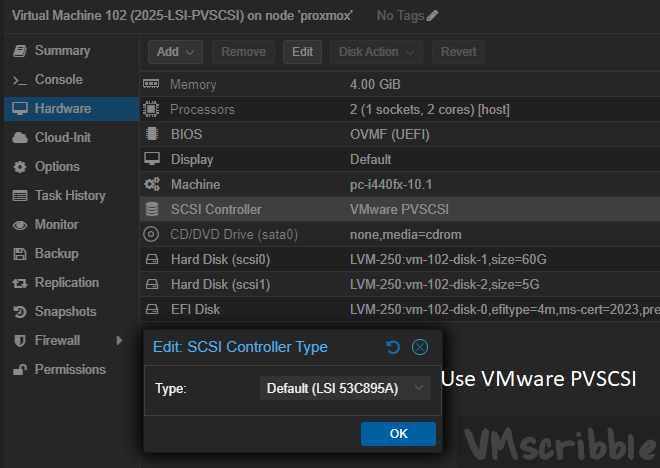
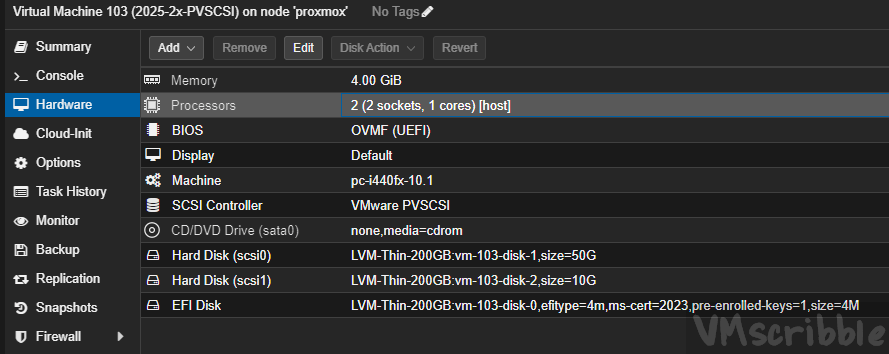
  • The SCSI controller is on Paravirtual “VMware PVSCSI” which allows windows to boot.
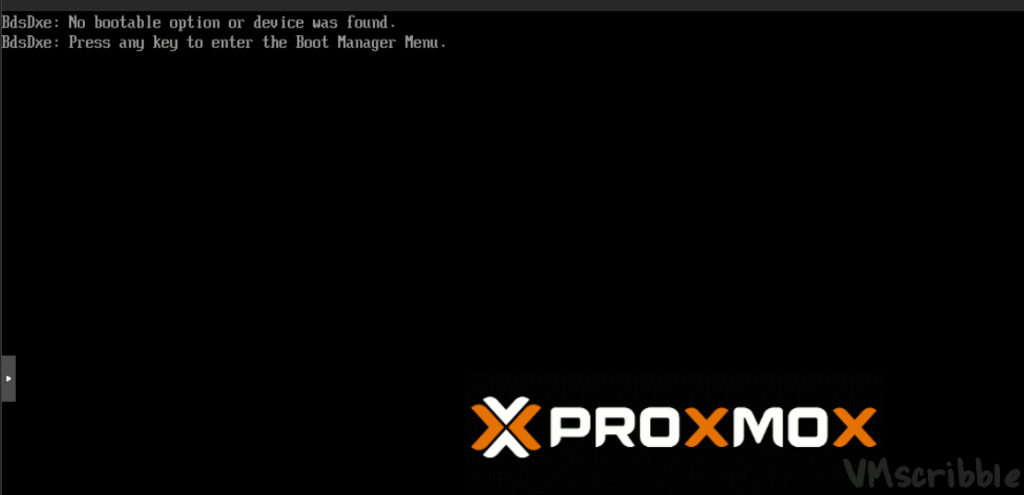
  • If “LSI 53C895A” or “LSI 53C810” is picked, the boot manager in the proxmox bios does not see the disk. (see 2 screen caps below)
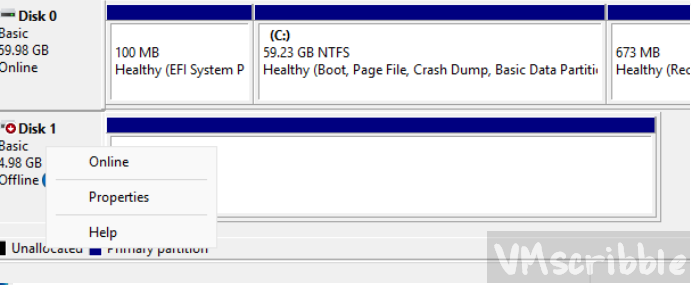
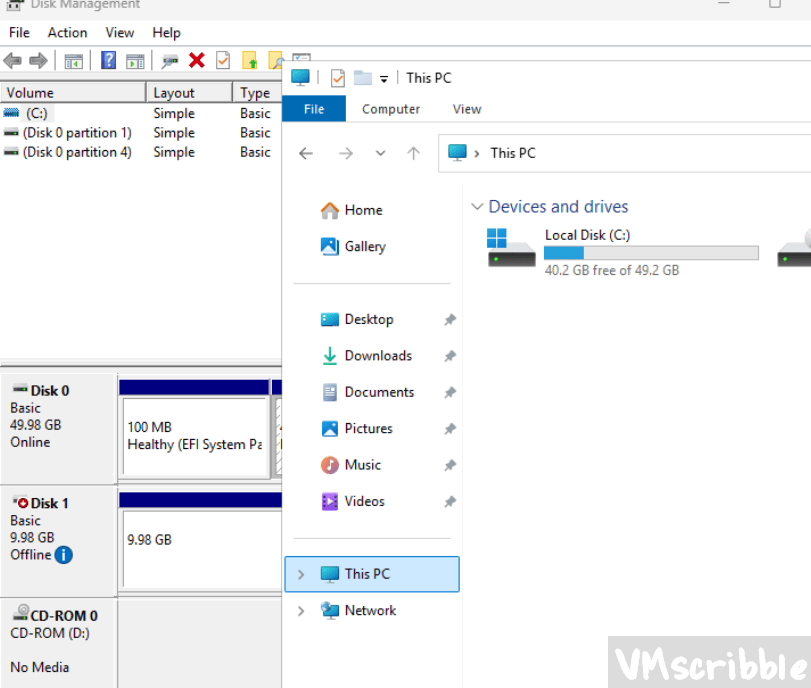
  • The 2nd disk in windows needs to be “online” via disk management, then the drive appears and files.

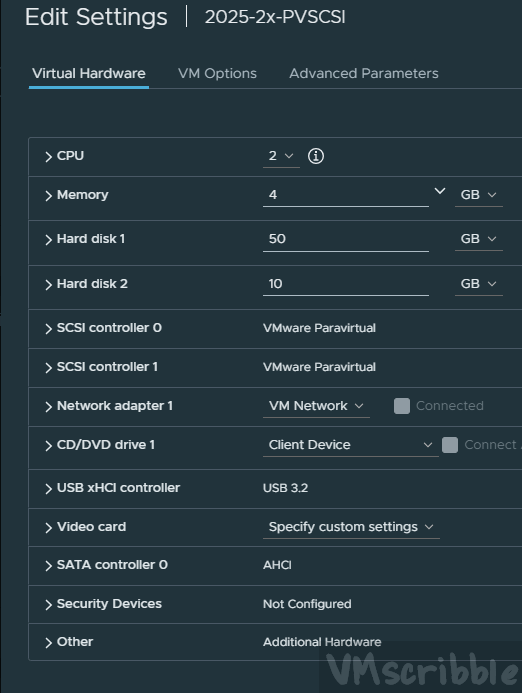
VM – 2025-2x-PVSCSI

  • OS Drive – 50GB thin – SCSI controller 1 – Paravirtual
  • 2nd Drive – 10GB thin – SCSI controller 2 – Paravirtual
  • Same 2 steps (CPU as type to “host”, add the CD/DVD drive) as the LSI-PVSCSI VM before powering on.
  • The 2nd drive needs to be placed online.